Dictionary/Catalog
Dictionary
Menu: Library/Data

The dictionary presents a technical view of ingested data complemented with profiling information. The content of the dictionary cannot be amended. By clicking on an element you are directed to its corresponding information page.
Example of navigation in Dictionary from source to column level:
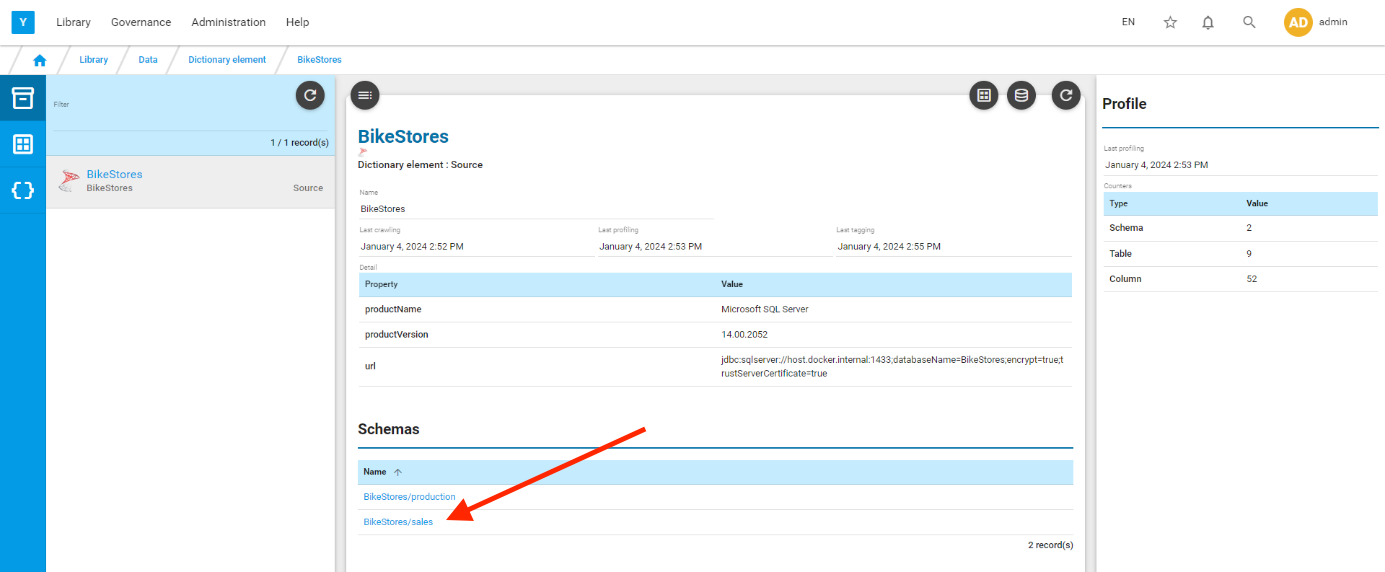
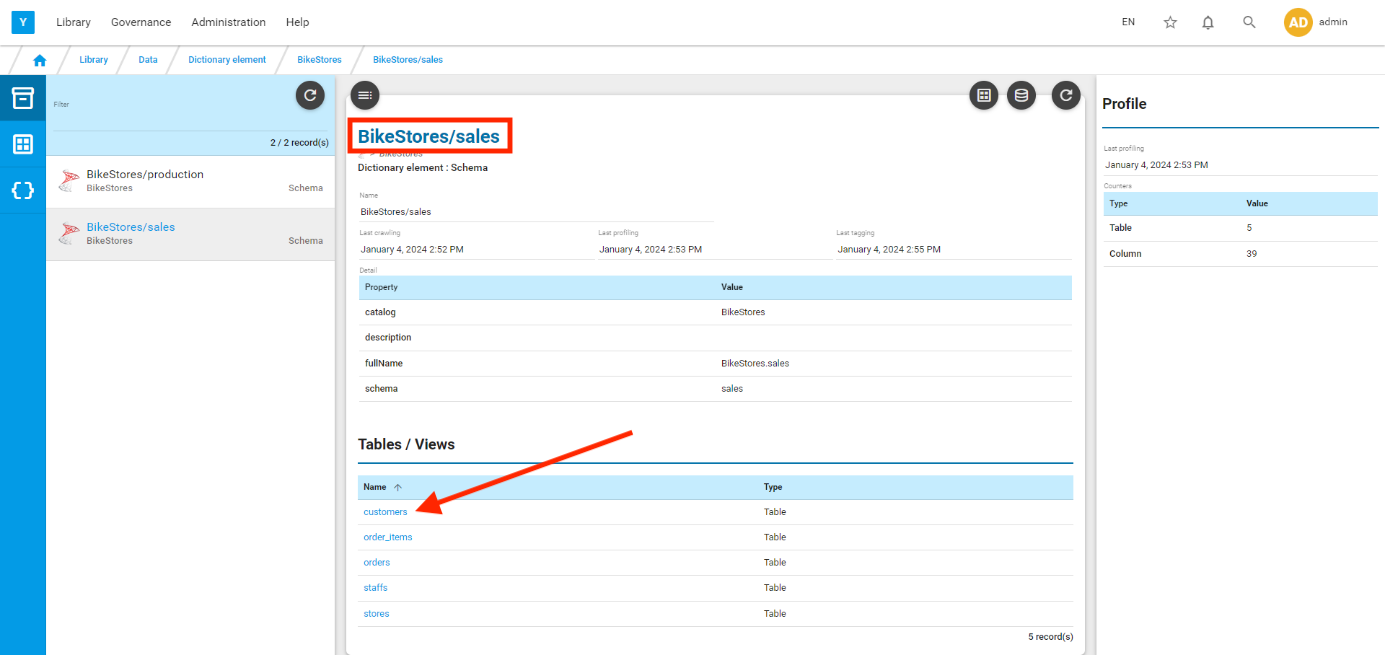
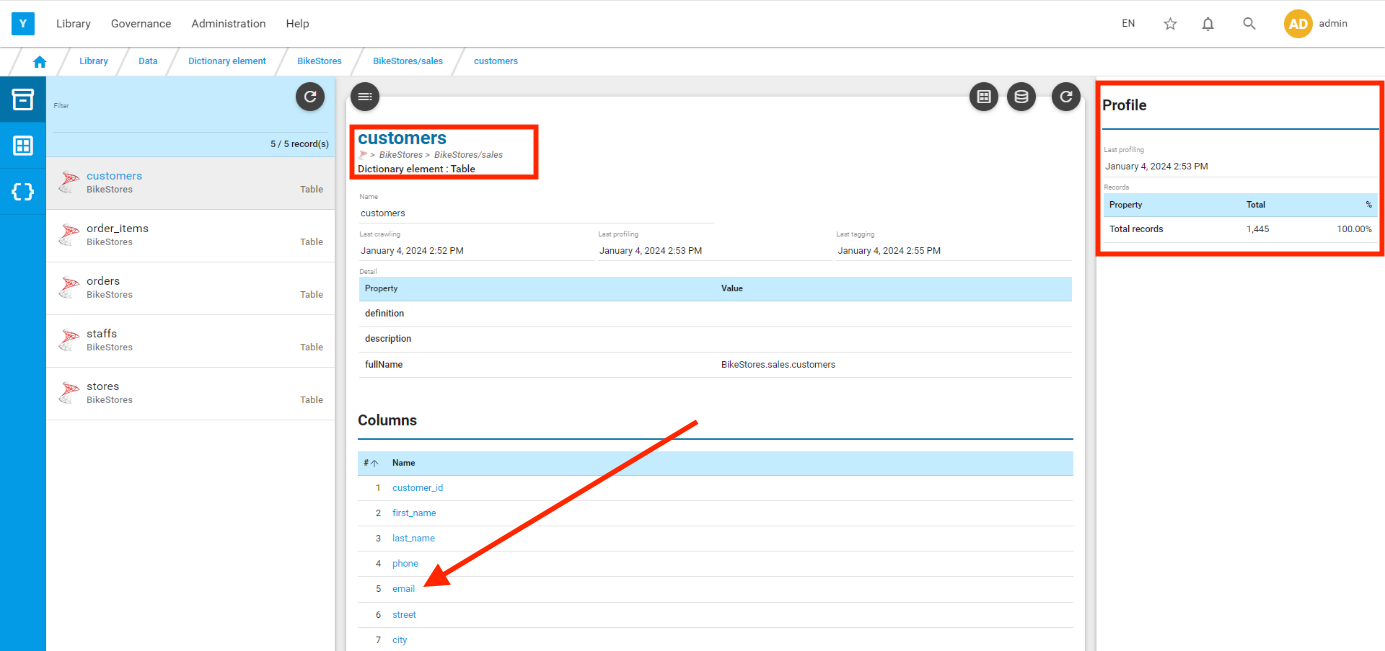
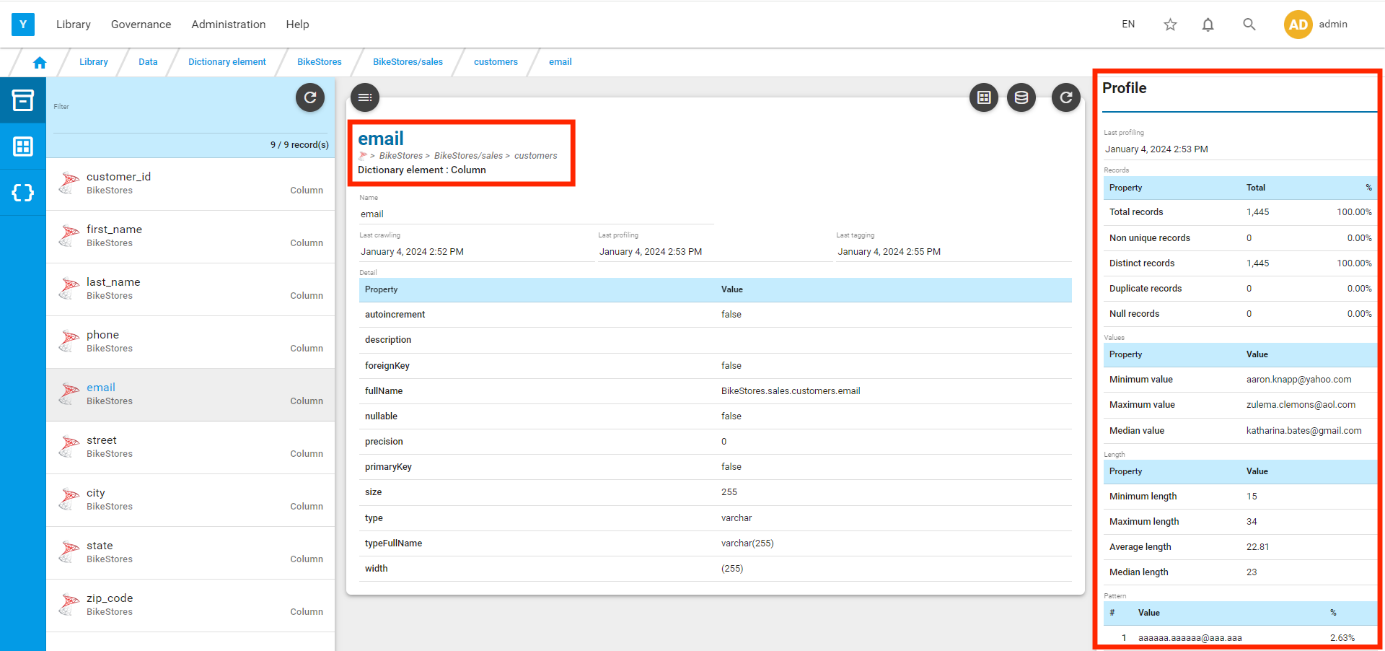
The breadcrumb displayed on top of the screen enables to quickly navigate back to parent elements

Catalog

The catalog also presents the ingested data but is open to user modifications. It is where manual relations between elements, relations between elements and terms, description, classification, stewardship, qualification are added or edited by authorised users.
You can easily toggle between the dictionary view and the catalog view of a source element using the  /
/  icons
icons
Example of navigation in Catalog from source to column level:
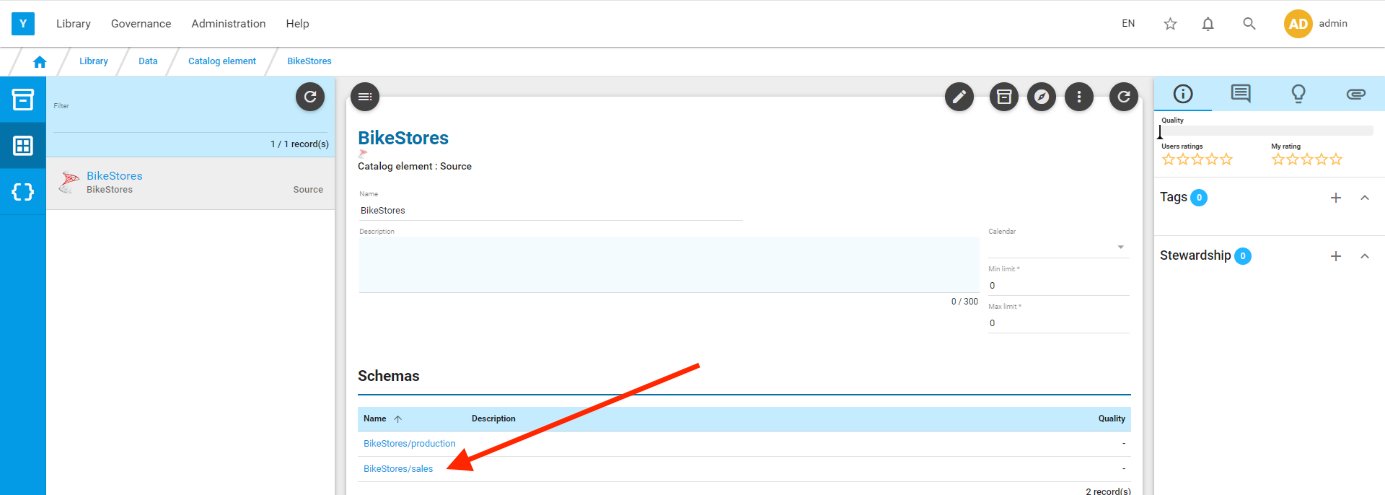
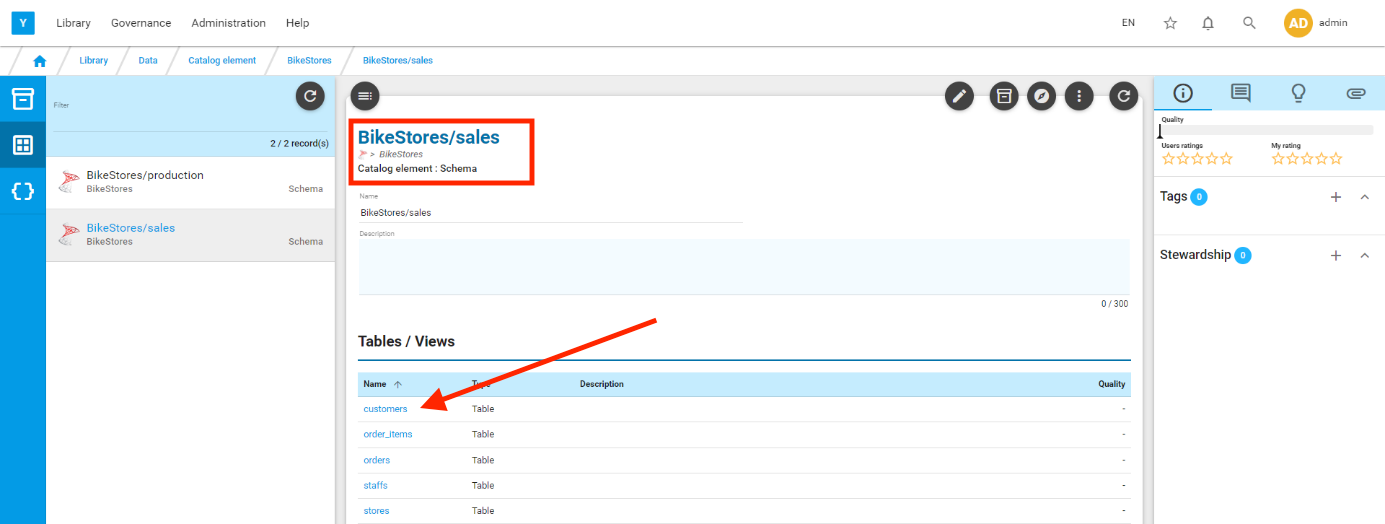
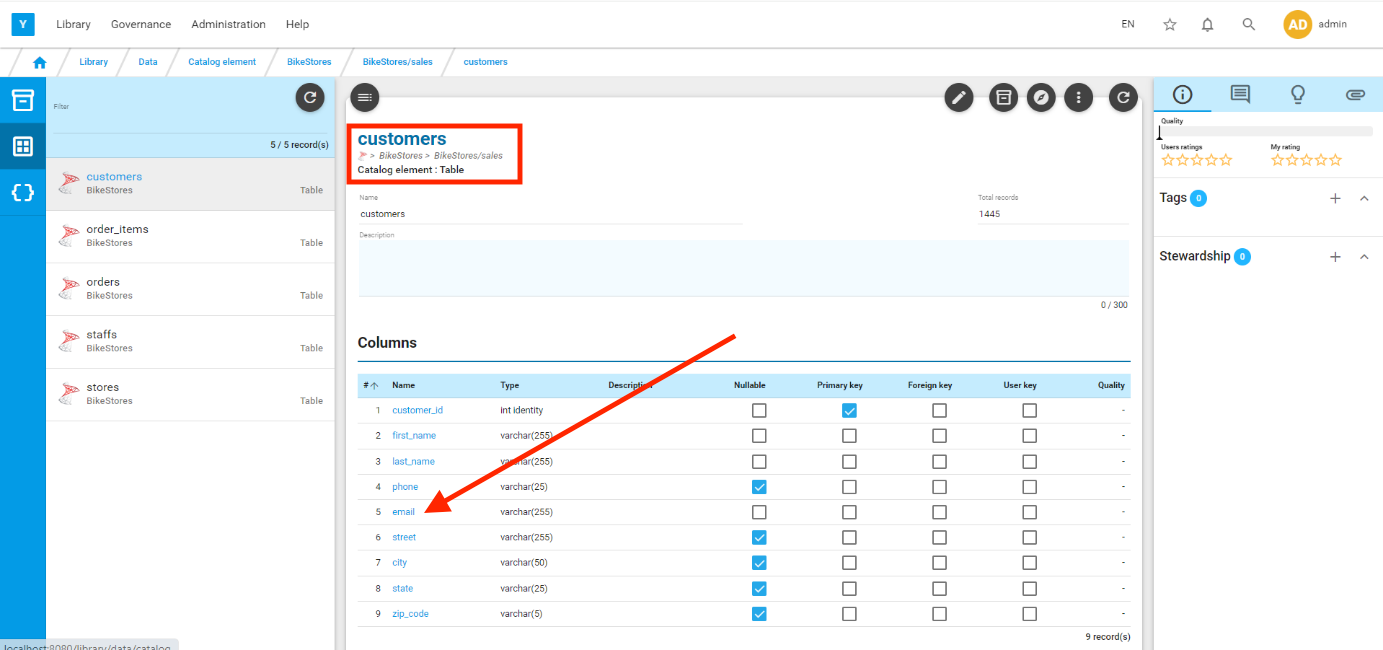
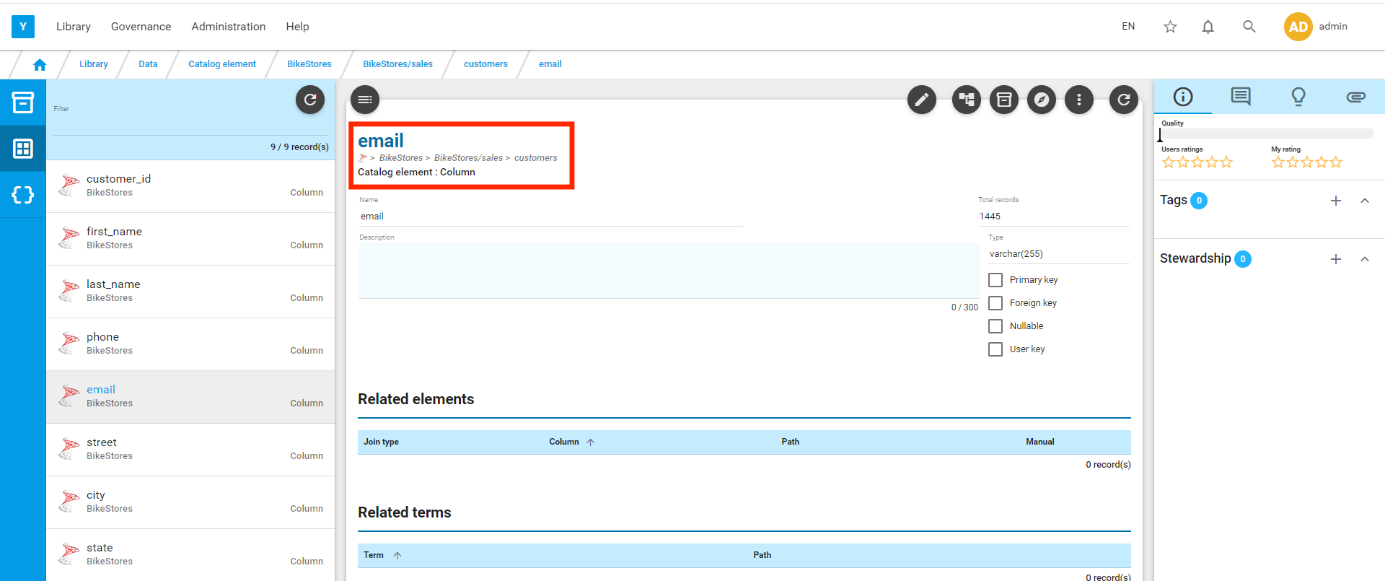
You can edit this element (this is possible only in catalog view). You can add a description, link this element to another element, link this element to a term, assign a quality rule...