Sources
Source Creation
Menu : Administration/Connection
Select the crawler on left side.
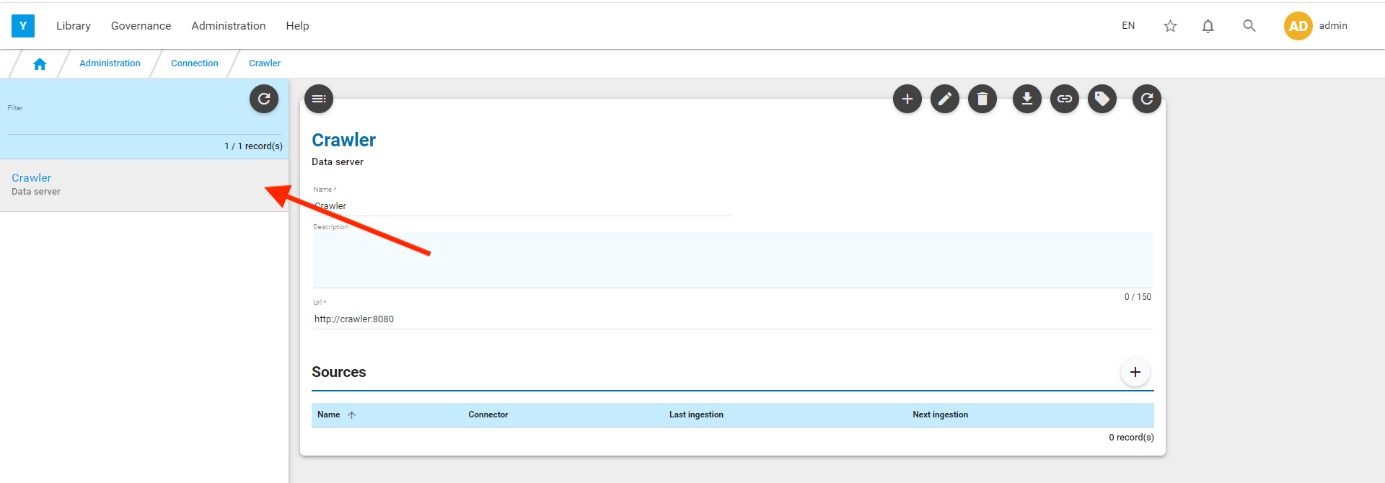
Test the connection to your crawler by clicking the icon 
If OK, you are ready to create a source.
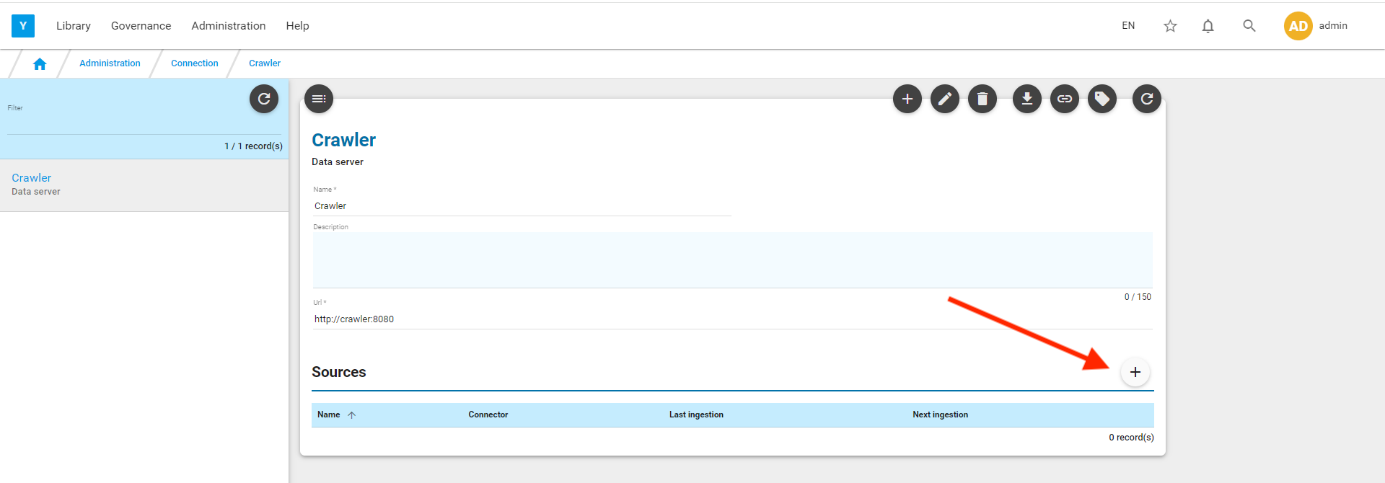
Click on the  icon located on the sources section. You are directed to sources creation screen
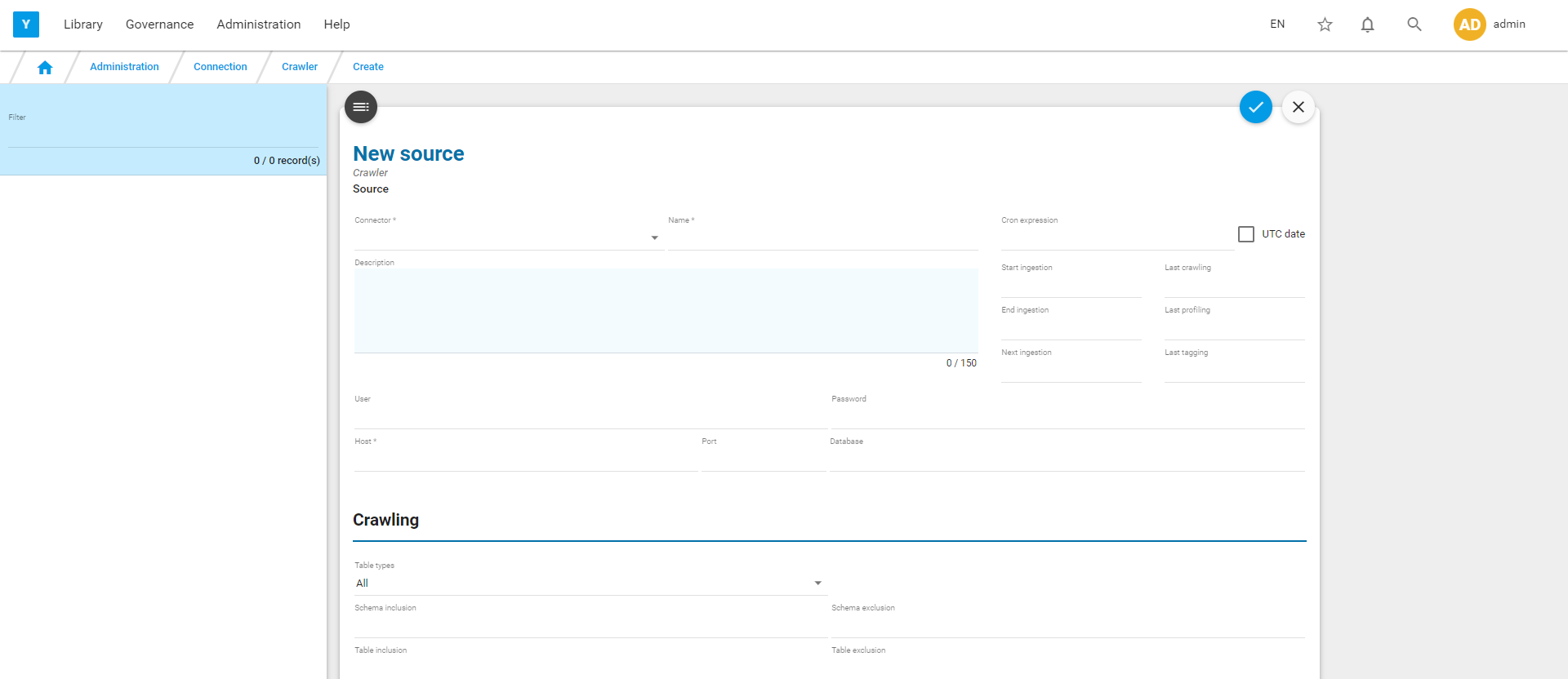
You are ready to create a new source.
Reminder : with Yavantha-CE, you can create only 2 sources.
Jdbc type source
Yavantha proposes many Jdbc type sources (Oracle, MySQL, Postgres, MS SQL Server, Redshift, Db2, Sybase, Sap Hana, Snowflake, Databricks,..). But Yavantha-CE is limited to : Oracle, MySQL, Postgres, MS SQL Server
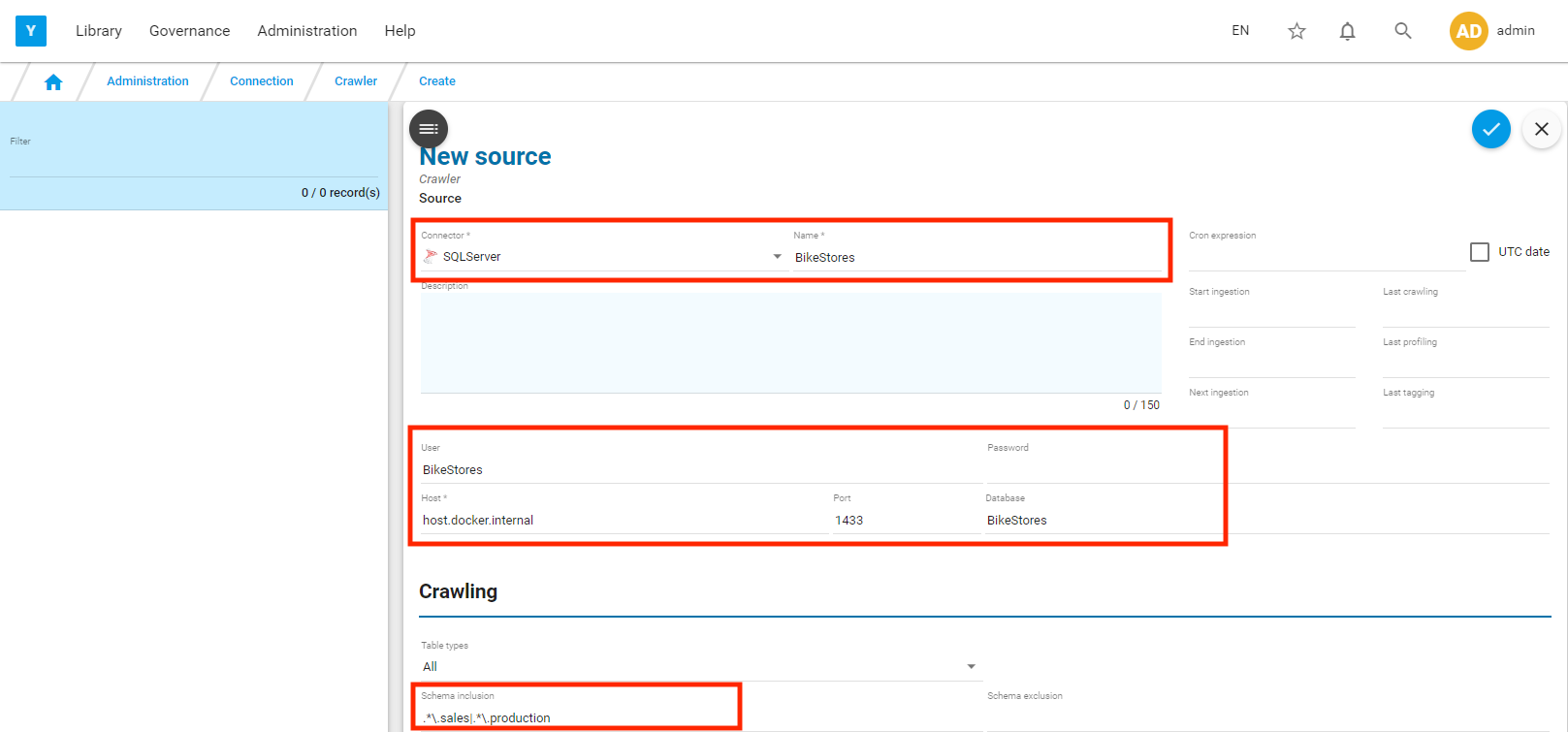
Let’s suppose that you have a MS SQL Server database : BikeStores (https://www.sqlservertutorial.net/load-sample-database/) running on your laptop.
Fill the required information (Jdbc Driver Type, Name, login, passwd, host, port, database) to connect to the source
If the source (here BikeStores) is located on your laptop, the hostname must be : host.docker.internal
Click on  to save.
Click on to test the connection
Note the presence of an inclusion/exclusion filter in the crawling section, to limit the ingestion to only a few schemas of the BikeStores database.
Other sources type
Yavantha proposes many non Jdbc type sources (MongoDB, S3, File, Cassandra, Hadoop, Druid, Dropbox, Hive, Kafka, Phoenix, HBase, …), but Yavantha-CE is limited to File.
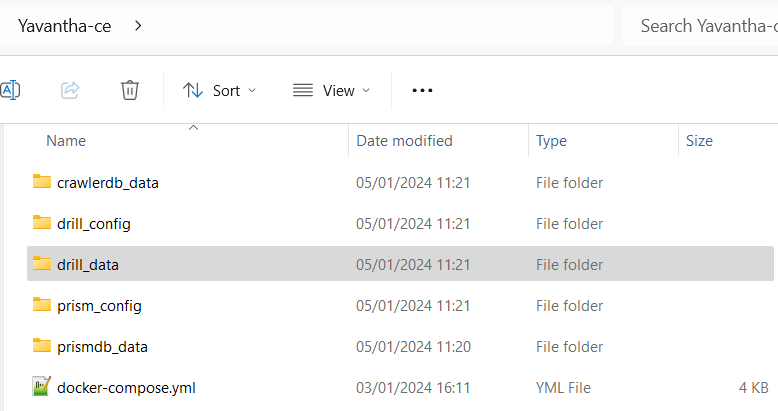
Ex : Let’s source a csv file located under drill_data directory

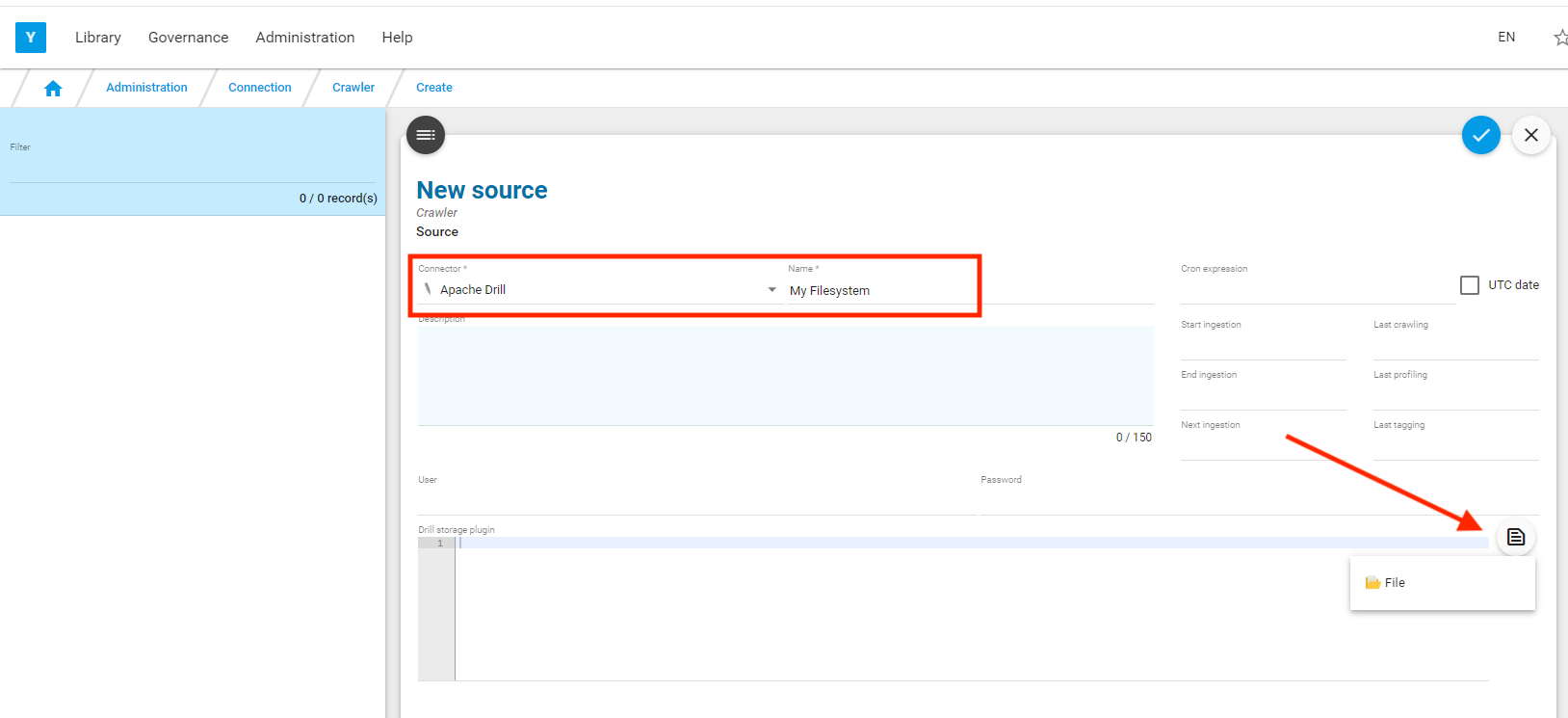
Select Apache Drill as source type, provide a source name, click on the  and select the subtype ‘File’
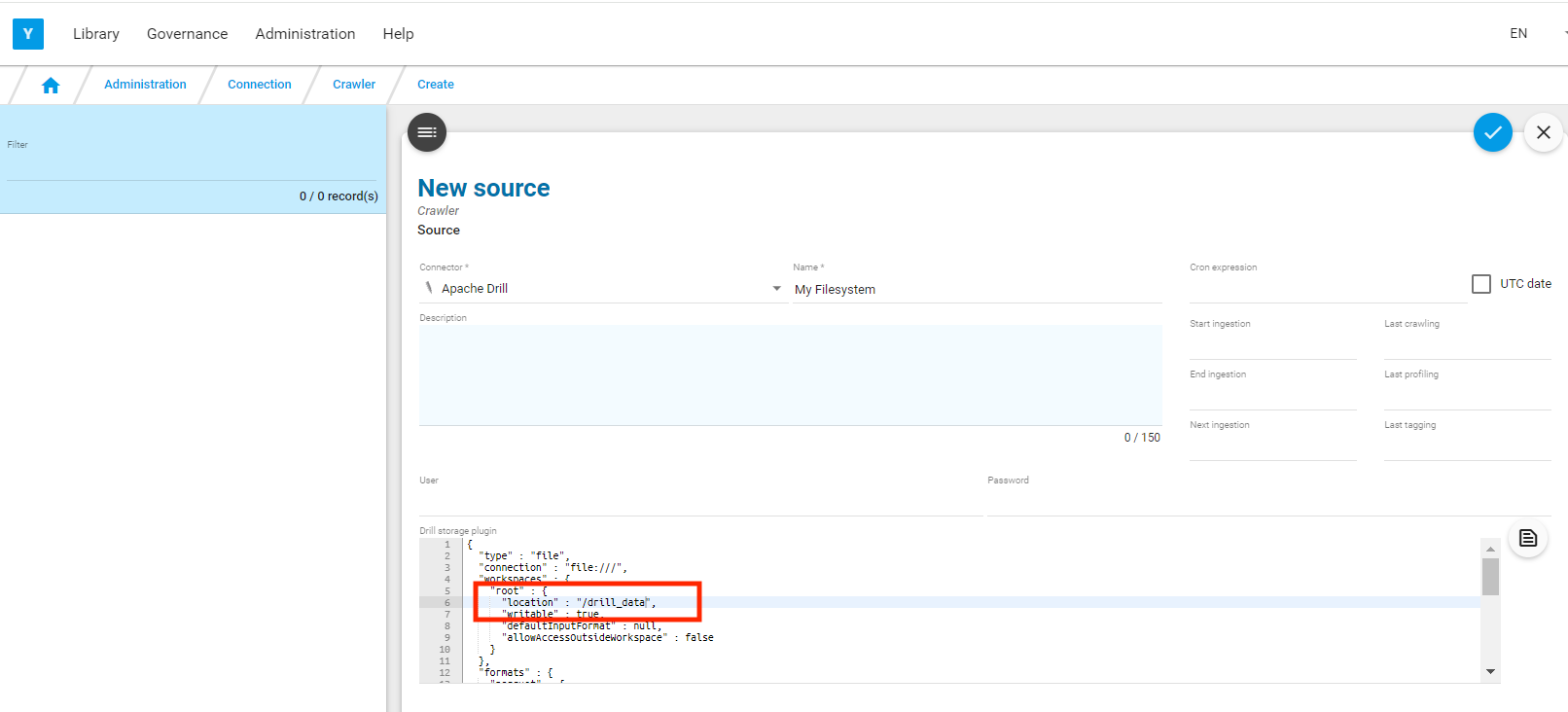
Enter the location of your file (/drill_data) in the Drill storage plugin section
Click on to save.
Click on to test the connection
Source ingestion
Once the source created, click on  to launch the ingestion.
Click on  to refresh the screen.
If  icon is accessible, the ingestion is completed , the profiling and tagging may be still running but the dictionary and catalog corresponding to the source have been created and are accessible.
You can also follow the ingestion log via  -> Ingestion log
Source deletion
With the Yavantha-CE limitation to one source, you may have to delete the existing source to create a new one.
Select it on the left and click on  .
.
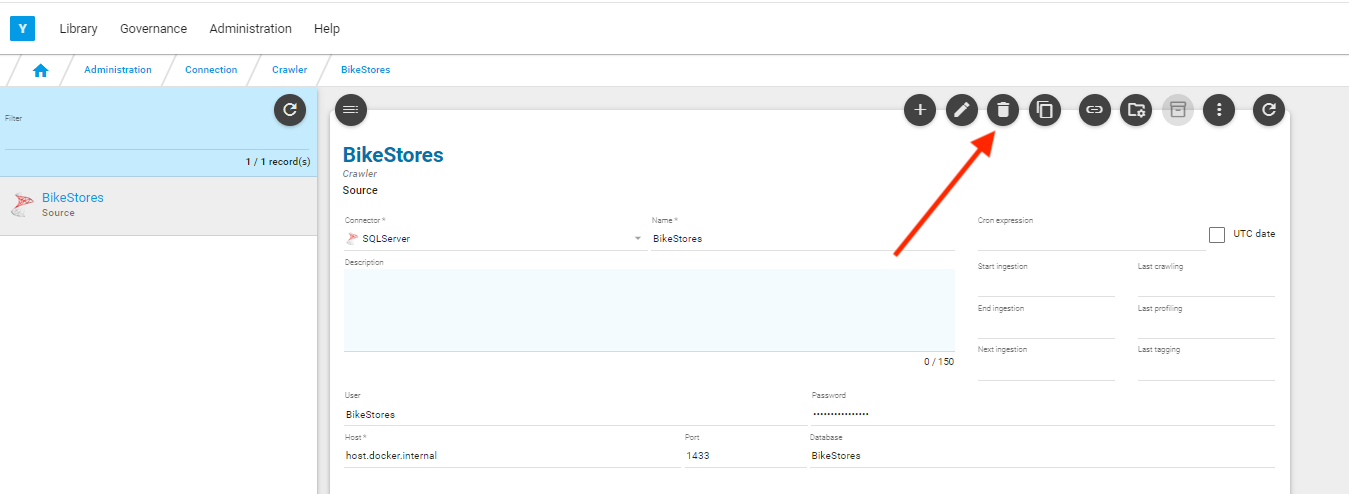
The connection will be deleted and the corresponding entries in Dictionary/Catalog will be removed